

Richard
Author
Share this article
Choosing the best website builder for small business can make a big difference in how quickly you launch, attract customers, and grow online.
A good website builder should do more than create a nice-looking homepage. Small businesses often need a combination of SEO, content management, directories, lead generation, payments, analytics, and simple publishing tools—without requiring a full-time developer.
In this guide, we'll compare some of the best website builders for small business in 2026, including Row.so, Wix, Squarespace, WordPress, Shopify, Webflow, Framer, Carrd, Sheetany, and Google Sites.
We'll also explain which platform is best for different types of small businesses.
What Makes a Good Website Builder for Small Business?
Before choosing a platform, consider what your business actually needs.
The best website builder for a small business should ideally offer:
- Easy setup without extensive technical knowledge
- Professional templates
- Custom domains
- SEO features
- Mobile-friendly websites
- Fast page loading
- Simple content management
- Lead generation capabilities
- Analytics
- Payment integrations when needed
- Affordable pricing
- The ability to scale as your business grows
- Business directories
- SaaS directories
- Product directories
- Job boards
- Resource directories
- Local directories
- Tool directories
- Community directories
- Gallery websites
- Lead-generation websites
- Curated content websites
- Launch a directory quickly
- Build a local business directory
- Create a SaaS or startup directory
- Turn Google Sheets into a website
- Build a job board
- Create a resource hub
- Monetize listings
- Collect submissions
- Build SEO-friendly listing pages
- Business websites
- Blogs
- Online stores
- Bookings
- Forms
- Marketing
- SEO
- Analytics
- Portfolio websites
- Photography businesses
- Creative agencies
- Restaurants
- Personal brands
- Professional services
- Business websites
- Blogs
- Membership websites
- Online stores
- Directories
- Communities
- News websites
- Content platforms
- Products
- Inventory
- Payments
- Orders
- Shipping
- Discounts
- Customers
- Marketing
- Custom layouts
- Advanced animations
- Responsive designs
- CMS functionality
- Professional marketing websites
- SaaS landing pages
- Startup websites
- Product launches
- Personal websites
- Marketing websites
- Blogs
- Job boards
- Directories
- Simple data-driven websites
- Content websites
- Business name
- Category
- Location
- Website
- Description
- Logo
- Images
- Pricing
- Social links
- Tags
- Search-friendly URLs
- Custom page titles
- Meta descriptions
- Structured content
- Indexable pages
- Category pages
- Individual listing pages
- Internal links
- Fast-loading pages
- Custom domains
- Best restaurants in a city
- Local service directories
- Real estate directories
- Hotel directories
- Coworking space directories
- Local events directories
- Business listing websites
- Listing management
- Categories
- Search
- Filters
- Listing submissions
- Custom fields
- SEO pages
- Map functionality
- User accounts
- Payments
- Monetization
- Google Sheets or database integrations
- Row.so: Best for directories, resource websites, structured data, and data-driven businesses
- Wix: Best for traditional small business websites
- Squarespace: Best for design-focused businesses
- WordPress: Best for flexibility and content-heavy websites
- Shopify: Best for e-commerce
- Webflow: Best for advanced custom design
- Framer: Best for modern startup websites
- Carrd: Best for simple one-page websites
- Sheetany: Best for simple Google Sheets-powered websites
- Google Sites: Best for basic informational websites
However, there isn't one perfect website builder for every business.
A local service company may need a simple business website, while a SaaS founder may want a directory, landing pages, and lead-generation system. An online store has completely different requirements.
That's why the best choice depends on your business model.
Best Website Builders for Small Business
1. Row.so — Best for Directories, Resource Sites & Data-Driven Websites
Best for: Directories, resource websites, marketplaces, curated collections, lead-generation sites, and businesses managing large amounts of structured content.
Row.so stands out if you want to build more than a traditional brochure website.
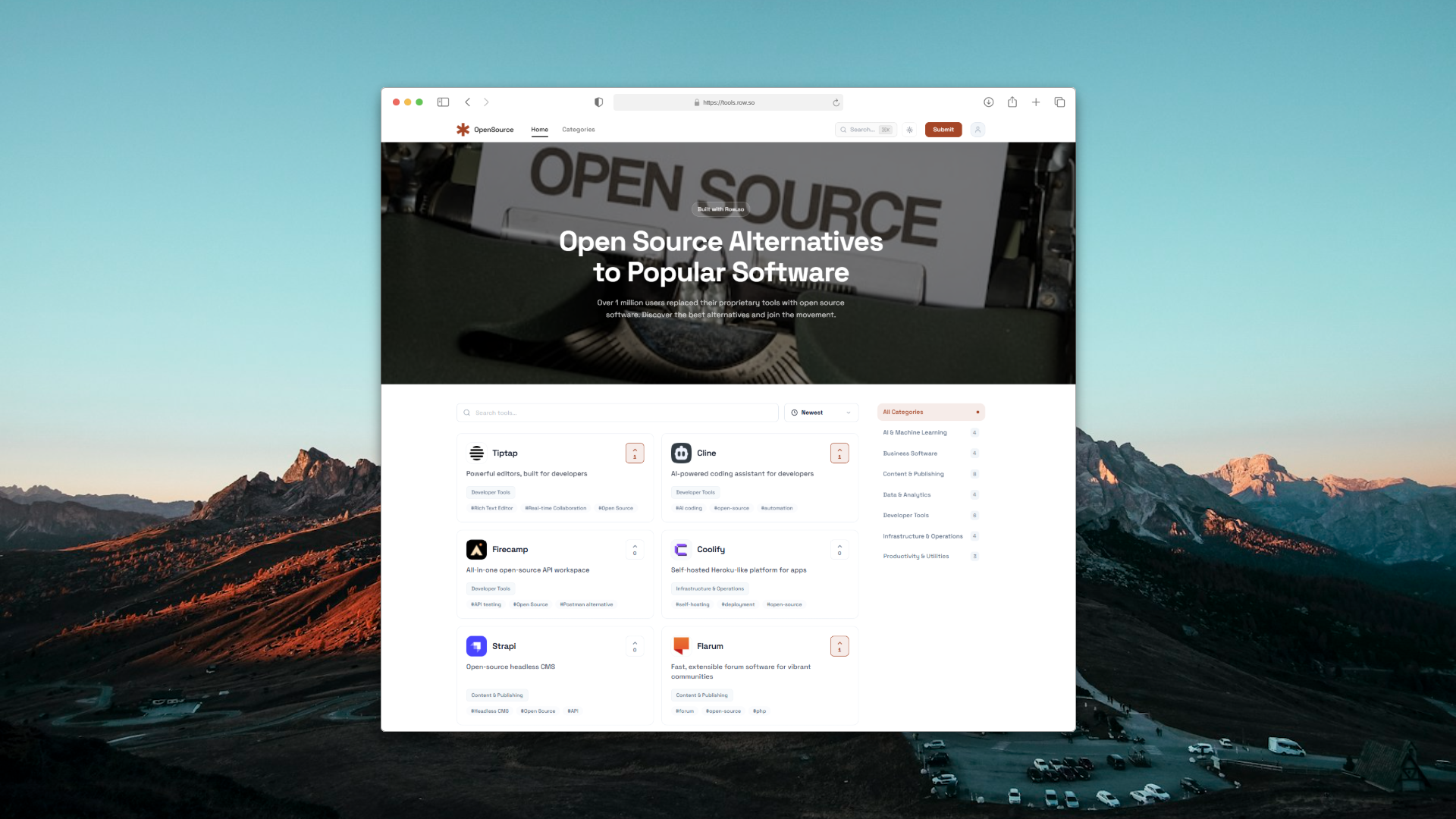
Instead of manually creating every page, Row.so lets you use Google Sheets as a powerful content management layer for building structured websites.
This makes it particularly useful for businesses that need to manage hundreds or thousands of listings, resources, products, tools, companies, jobs, or other structured data.
Why Row.so is a strong choice
Row.so is especially compelling for businesses that want to turn structured data into a professional website.
You can use it to build:
One of the biggest advantages is the Google Sheets workflow.
Instead of managing listings through a complicated CMS, you can organize your content in a familiar spreadsheet and publish it as a website.
Row.so also goes beyond simply displaying spreadsheet data. It provides features designed specifically for directory-style websites, including SEO-focused pages, categories, filters, submissions, monetization options, and integrations.
Row.so vs traditional website builders
Traditional website builders are usually designed around pages.
Row.so is particularly useful when your website is built around data and listings.
For example, if you're creating a directory containing 1,000 SaaS products, manually creating 1,000 pages would be inefficient.
With Row.so, your listings can be managed as structured data and transformed into a searchable website.
That makes Row.so one of the best website builders for small businesses that rely on directories, databases, or large collections of content.
Who should use Row.so?
Choose Row.so if you want to:
Best overall choice for: Data-driven small business websites, directories, and resource platforms.
2. Wix — Best for Traditional Small Business Websites
Best for: Service businesses, restaurants, consultants, freelancers, and local businesses.
Wix is one of the most recognizable website builders for small businesses.
Its biggest advantage is simplicity. You can choose a template, customize the design, add content, connect a domain, and publish without knowing how to code.
Wix also provides tools for:
For a local business that simply needs a professional online presence, Wix is an easy starting point.
Best for: Businesses that want an all-in-one visual website builder.
3. Squarespace — Best for Design-Focused Businesses
Best for: Creative businesses, consultants, photographers, agencies, restaurants, and personal brands.
Squarespace is known for polished templates and strong visual design.
It's a good choice when the appearance of your website is a major part of your brand.
Squarespace works particularly well for:
Its templates can help a small business look professional without hiring a designer.
Best for: Businesses that prioritize aesthetics and branding.
4. WordPress — Best for Flexibility and Content
Best for: Blogs, publishers, content-heavy businesses, and companies that want maximum customization.
WordPress remains one of the most flexible options available.
Its enormous ecosystem of themes and plugins allows businesses to create almost any type of website.
You can build:
The tradeoff is complexity.
Unlike simpler website builders, WordPress may require more work around hosting, plugins, security, updates, and maintenance.
Best for: Businesses that want maximum control and customization.
5. Shopify — Best for Small E-Commerce Businesses
Best for: Online stores and product-based businesses.
Shopify is designed primarily for e-commerce.
If your small business makes money by selling physical or digital products, Shopify can provide the infrastructure you need to manage:
It is more specialized than general-purpose website builders, which is exactly why it works well for online stores.
Best for: Small businesses whose primary goal is selling products online.
6. Webflow — Best for Custom Website Design
Best for: Agencies, startups, designers, and businesses that need advanced design control.
Webflow combines visual website design with powerful customization.
It gives designers significantly more control than many beginner-focused website builders.
Webflow is a good option for businesses that want:
The downside is that it has a steeper learning curve.
Best for: Design-focused businesses with more advanced website requirements.
7. Framer — Best for Modern Marketing Websites
Best for: Startups, SaaS companies, designers, and modern landing pages.
Framer has become popular among startups and designers looking to create modern, visually impressive websites.
Its visual editor makes it possible to create highly polished marketing websites without building everything from scratch.
Framer is particularly strong for:
Best for: Modern startup and marketing websites.
8. Carrd — Best for Simple One-Page Websites
Best for: Freelancers, creators, consultants, landing pages, and simple business websites.
Carrd focuses on simplicity.
If you only need a landing page or simple one-page business website, Carrd can be an excellent choice.
It's inexpensive, fast, and easy to use.
However, it isn't designed for complex websites with large amounts of structured content.
Best for: Simple websites and landing pages.
9. Sheetany — Best for Turning Google Sheets Into Simple Websites
Best for: Blogs, directories, job boards, and content websites powered by Google Sheets.
Sheetany takes a similar spreadsheet-first approach to website creation.
It allows users to manage website content through Google Sheets and publish it as a website.
This can be useful for businesses that already manage their information in spreadsheets and want a simpler way to publish it online.
Sheetany is particularly suitable for:
If your website is primarily a structured collection of information, Sheetany can be a practical alternative to traditional CMS platforms.
Best for: Small businesses that want a simple Google Sheets-powered website.
10. Google Sites — Best for Basic Free Websites
Best for: Internal projects, simple information websites, and basic business pages.
Google Sites is one of the simplest options for creating a website.
It works well for basic informational websites and internal projects, especially if your business already uses Google Workspace.
However, it lacks many advanced features offered by dedicated website builders.
Best for: Very simple websites with minimal requirements.
How to Choose the Best Website Builder for Your Small Business
The right platform depends on what you're trying to build.
Choose Row.so if you need a directory or structured website
If your website revolves around listings, resources, companies, products, jobs, or other structured information, Row.so should be near the top of your list.
It's especially powerful when you want to manage website content through Google Sheets while still creating a professional, searchable website.
Choose Wix if you want an easy business website
For a traditional small business website with pages such as Home, About, Services, Contact, and Blog, Wix is a straightforward option.
Choose Squarespace if design is your priority
If your business depends heavily on visual presentation, Squarespace offers polished templates and a strong design experience.
Choose WordPress if you want maximum flexibility
WordPress is ideal if you expect your website to grow into a complex content platform and you're comfortable managing a more technical ecosystem.
Choose Shopify if you sell products
For e-commerce businesses, Shopify is the more specialized choice.
Choose Webflow or Framer if design control matters
These platforms are better suited to businesses that want highly customized marketing websites.
Choose Sheetany if you want a simple spreadsheet-powered website
If your content already lives in Google Sheets and you want a straightforward way to publish it, Sheetany is worth considering.
Row.so vs Traditional Website Builders
One important distinction is how the website content is managed.
Traditional website builders usually organize content around pages and visual components.
Row.so is particularly useful when your website is organized around structured data.
Imagine you operate a local business directory.
Your data might contain:
Instead of manually creating each page, you can organize this information in a structured dataset and use Row.so to turn it into a functional directory.
This approach can save significant time as your website grows.
Best Website Builder for SEO
SEO should be an important consideration when choosing a website builder.
A good platform should allow you to create:
For traditional business websites, platforms such as WordPress, Wix, and Squarespace can work well.
For SEO-driven directories and data-heavy websites, Row.so offers a particularly interesting approach because every listing can become a dedicated piece of content.
This creates opportunities to build large collections of highly targeted pages around products, businesses, tools, jobs, locations, and other entities.
Best Website Builder for a Local Business
For a traditional local service business, Wix or Squarespace may be enough.
But if your business model involves aggregating local businesses, Row.so becomes much more interesting.
For example, you could build:
You can organize the information in a structured format and create a searchable directory rather than just a static business website.
Best Website Builder for a Directory
If your primary goal is to build a directory, the shortlist changes significantly.
Instead of choosing a general-purpose website builder, you should look for features such as:
This is where Row.so is particularly strong.
Rather than adapting a generic website builder into a directory, Row.so is built around the directory use case.
Best Website Builder for Small Business: Final Verdict
There is no single website builder that is perfect for every small business.
The best platform depends on your business model:
If you're simply looking for a website for your small business, start with your business model—not the platform's feature list.
But if your business revolves around directories, listings, resources, databases, or structured content, Row.so deserves special consideration.
Instead of manually building hundreds of pages, you can manage your content in a familiar spreadsheet workflow and turn that data into a scalable website.
Build your next directory or data-driven website with Row.so.