
Richard
Author
Share this article
A local business directory can be much more than a list of companies and contact details.
A well-built directory can help people discover local businesses, compare options, find businesses near them, and connect with service providers. For the directory owner, it can also become a sustainable online business through paid listings, featured placements, sponsorships, memberships, and advertising.
In 2027, you don't need to build everything from scratch or hire a large development team to launch one. With a modern directory website builder like Row.so, you can create a searchable, SEO-friendly local business directory without building the entire platform yourself.
Here's how to build one from start to finish.
1. Choose a Specific Local Niche
The first step is deciding what type of businesses your directory will list.
Instead of creating a generic "business directory," start with a specific location, industry, or audience.
For example:
- Restaurants in New York
- Coffee shops in London
- Dentists in Toronto
- Wedding vendors in Austin
- Real estate agents in Miami
- Hotels in Paris
- Coworking spaces in Singapore
- Local home services in Los Angeles
- Vietnamese restaurants in California
- AI companies in San Francisco
- Business name
- Logo
- Cover image
- Description
- Address
- Phone number
- Website
- Opening hours
- Category
- Location
- Social media profiles
- Pricing
- Services
- Photos
- Ratings and reviews
- Plumbers
- Electricians
- Cleaning Services
- HVAC
- Landscapers
- Roofers
- General Contractors
- Italian
- Japanese
- Mexican
- Indian
- Chinese
- Vegan
- Business name
- Category
- Location
- Keyword
- Price
- Rating
- Services
- Business type
- Opening hours
- Features
- Distance
- Restaurants
- Hotels
- Stores
- Real estate
- Attractions
- Service providers
- Healthcare businesses
- Local events
- Restaurants in Brooklyn
- Italian Restaurants in Brooklyn
- Dentists in Austin
- Coffee Shops in Seattle
- Coworking Spaces in London
- Best Restaurants in Brooklyn
- Best Coffee Shops in Brooklyn
- Things to Do in Brooklyn
- How to Choose a Restaurant for a Large Group
- Business profile
- Basic information
- Website link
- Featured placement
- Additional images
- More custom fields
- Social links
- Priority position
- Enhanced profile
- More website visitors
- More phone calls
- More inquiries
- More leads
- More bookings
- Better online visibility
- Featured exposure
- Analytics
- Page views
- Listing views
- Search queries
- Popular categories
- Popular locations
- Clicks to business websites
- Phone clicks
- Listing submissions
- Conversion rates
- Phone numbers
- Websites
- Opening hours
- Addresses
- Services
- Pricing
- Social profiles
A focused niche makes it easier to create useful content, attract relevant visitors, and build authority in search engines.
You can expand the directory later once you have established your initial audience.
2. Decide What Information Each Listing Should Contain
Before importing or adding businesses, define the information you want to collect for every listing.
A typical local business listing might include:
You can also create industry-specific fields.
For example, a restaurant directory could include cuisine type, price range, reservation URL, delivery options, and dietary options.
A real estate directory could include property type, price, bedrooms, bathrooms, square footage, and amenities.
The goal is to make every listing useful enough that visitors don't need to leave your website to find the information they're looking for.
3. Create Your Directory Database
Once you've defined your listing structure, you need to create the underlying database.
You can manually add businesses, import existing data, or connect a structured data source such as Google Sheets or CSV files.
For larger directories, importing data can save significant time.
With Row.so, you can use Google Sheets or CSV data to create directory listings and structure your content without building a custom database from scratch.
This is especially useful when you already maintain your business data in a spreadsheet.
4. Organize Businesses Into Categories
Categories make your directory easier to navigate and help visitors quickly find what they're looking for.
For example, a local services directory could have:
You can also use subcategories when your directory becomes larger.
For example:
Restaurants
A good category structure also creates additional SEO opportunities because each category can become a useful landing page targeting a specific search intent.
5. Add Search and Filters
A directory becomes much more useful when visitors can quickly find the right business.
At minimum, consider adding search by:
Depending on your niche, you can also add filters such as:
For local directories, location-based discovery is particularly important.
Someone searching for a dentist, restaurant, gym, or repair service usually wants to find an option that is close to them.
6. Add a Map and Location Discovery
Maps can significantly improve the experience of a local business directory.
Instead of showing businesses only as a list, you can let visitors discover businesses visually based on their location.
A typical directory experience might look like:
Search → Filter → View on Map → Open Listing → Contact Business
This works particularly well for:
A map can also make a directory feel much more like a useful local discovery product rather than a simple database.
7. Create Individual SEO-Friendly Listing Pages
One of the biggest advantages of a directory website is that every business can have its own page.
For example:
yourdirectory.com/business/abc-restaurant
Each listing page should contain unique and useful information about the business.
Include the business name, description, location, services, images, contact information, and other relevant fields.
You should also make sure listing URLs are clean and readable.
Instead of:
yourdirectory.com/item?id=12345
use something like:
yourdirectory.com/restaurants/abc-restaurant
These individual pages can potentially rank for long-tail searches related to specific businesses and locations.
8. Build Location and Category Pages
Don't only focus on individual business pages.
Create useful category and location pages as well.
For example:
These pages help organize your directory and give search engines more context about the businesses you list.
They can also target broader searches than individual listing pages.
9. Optimize Your Directory for SEO
SEO is particularly important for directories because they can contain hundreds or thousands of pages.
Focus on the fundamentals first.
Use descriptive page titles
Instead of:
Business Directory
use:
Best Italian Restaurants in Brooklyn | Your Directory
Write useful descriptions
Avoid creating hundreds of nearly identical pages with only the business name changed.
Every important page should provide useful information for visitors.
Optimize listing URLs
Keep URLs short, descriptive, and readable.
Add internal links
Connect related businesses, categories, locations, and guides.
For example:
Best Italian Restaurants in Brooklyn
can link to individual restaurant listings.
Individual listings can link back to the relevant category and location pages.
Create supporting content
You can also publish articles such as:
This creates a broader content ecosystem around your directory.
10. Let Businesses Submit Their Listings
Once your directory has traffic, you can allow businesses to submit themselves.
This creates a scalable way to grow your database without manually adding every business.
You can offer different submission options.
For example:
Free listing
Premium listing
You can also require approval before a listing becomes publicly visible.
This gives you more control over the quality of the directory.
11. Monetize Your Directory
A local business directory can generate revenue in several ways.
Paid listings
Charge businesses to create or publish a listing.
This is one of the simplest directory monetization models.
Featured listings
Allow businesses to pay for additional visibility.
For example, a featured restaurant could appear near the top of a category page.
Sponsored listings
Businesses can pay for sponsored placement within relevant categories or locations.
Advertising
You can display advertisements throughout the directory once you have enough traffic.
Memberships
Create membership plans that give businesses additional features or visibility.
Lead generation
Instead of charging for visibility, you can charge businesses for qualified leads generated through the directory.
The right model depends on your niche and audience.
12. Give Businesses a Reason to Pay
Simply putting a business in a directory isn't always enough to justify a paid listing.
Your directory should provide measurable value.
For example:
This is why directory analytics can become an important part of your product.
Businesses are more likely to pay when they can see that their listing is generating real traffic or leads.
13. Add Analytics
Track how visitors interact with your directory.
Useful metrics include:
These insights can help you understand what visitors want and which businesses are receiving the most attention.
They can also become part of your value proposition for paying customers.
14. Keep the Directory Data Fresh
A directory with outdated information quickly loses its value.
Businesses change their:
Create a process for keeping listings updated.
You can allow business owners to claim and edit their listings, periodically review important information, or synchronize your data source when appropriate.
Fresh data also creates a better experience for visitors.
15. Launch With a Focused Dataset
You don't need 100,000 businesses on day one.
Start with a smaller, high-quality dataset.
For example, if you're building a restaurant directory for a city, start with 100 to 500 useful listings.
Make sure the listings have accurate information, good categories, useful descriptions, and strong location data.
Then expand as you attract visitors and businesses.
Quality is more important than simply having a large number of listings.
16. Build With a Directory Website Builder
Building a local business directory from scratch can require a database, authentication, search, filtering, maps, payments, SEO infrastructure, image storage, hosting, and an administration system.
For many directory projects, building all of this yourself isn't necessary.
A directory website builder can handle much of the infrastructure so you can focus on the niche, data, content, and business model.
Build a Local Business Directory With Row.so
Row.so is designed for creating modern directory websites without requiring you to build the entire platform from scratch.
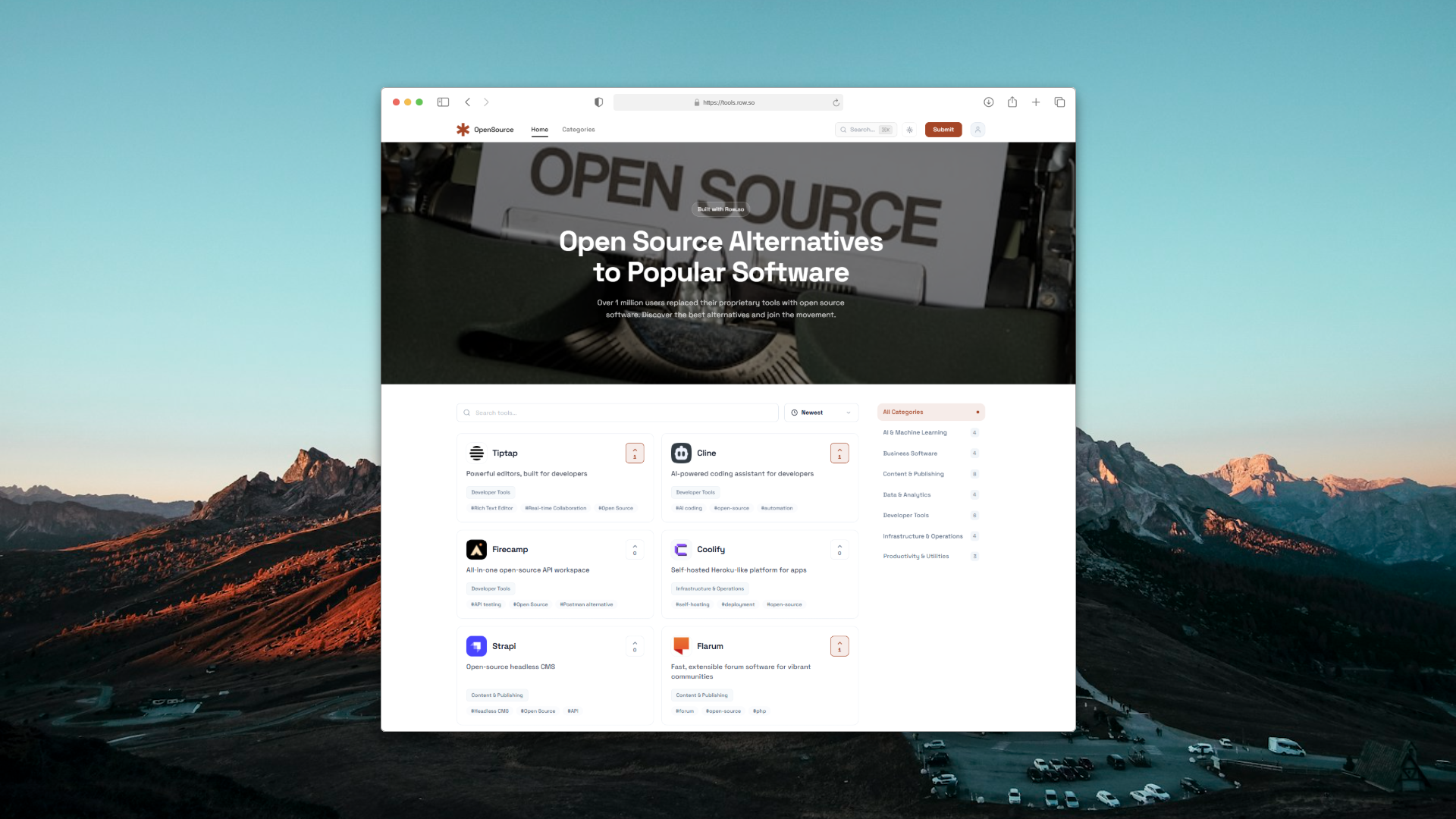
You can create directories from structured data such as Google Sheets or CSV files, customize listing fields, create SEO-friendly pages, add maps, configure custom domains, and monetize listings.
You can also customize your directory to match your niche instead of being locked into a single directory template.
That means the same platform can be used for a restaurant directory, local services directory, vendor marketplace, real estate directory, job board, or another specialized directory.
17. Promote Your Directory
After launching, focus on getting your first visitors.
Some channels to consider include:
SEO
Create useful category, location, listing, and informational pages that target searches relevant to your niche.
Local communities
Participate in relevant local communities and provide genuinely useful resources.
Direct outreach
Contact businesses and let them know they've been listed.
This can also become an opportunity to introduce paid listings or claimed profiles.
Social media
Share interesting businesses, local guides, new listings, and directory statistics.
Partnerships
Partner with local organizations, communities, newsletters, bloggers, or industry associations.
The goal isn't simply to get traffic.
You want to build a directory that people return to whenever they need to discover a local business.
18. Start Small and Expand
The best local business directories usually start with a narrow problem.
Instead of trying to build:
"The biggest business directory on the internet"
start with:
"The best directory for independent coffee shops in Austin."
Once you've proven that people use it, expand into nearby categories, locations, or services.
This makes your SEO strategy, data collection, marketing, and monetization much easier to manage.
Final Thoughts
Building a local business directory in 2027 is much more accessible than it used to be.
You don't need to spend months building custom directory software before testing your idea.
Start with a specific niche, create a useful dataset, organize businesses into categories and locations, build searchable listing pages, optimize them for SEO, and give businesses a way to submit or claim their profiles.
Once you have traffic, you can introduce paid listings, featured placements, sponsorships, advertising, memberships, or lead generation.
If you want to launch without building the entire technical infrastructure yourself, Row.so can help you create and manage the directory, from structured data and custom fields to SEO-friendly pages, maps, custom domains, and monetization.
The most important part isn't building the biggest directory.
It's building a directory that solves a specific discovery problem better than a generic list of businesses ever could.